You have a Macy's gift card, and you want to know how much money is on it. It's a simple question, but finding Macy's gift card balance is very simple through three different methods. All you need to know is your macy gift card code. Let's look at each method in detail in this blog. By the end, you'll know your balance in minutes.
Methods to Check Macy's Gift Card Balance in Nigeria
There are three common methods to check Macy's gift card balance in Nigeria. Here are some of the easiest methods.
Method 1: Check Macy's Gift Card Balance Online
The fastest way to check your Macy's gift card balance is via online. You don't need to call anyone or download an app. You just need your gift card and a few minutes. Let's walk through this method step by step.
Step 1: Go to macys.com
Step 2: Find the Gift Card Balance Checker
Look for "Gift Card Balance" on the website. You'll usually find this link in the footer at the bottom of the page, or you can look in the "Help" or "Customer Service" section.
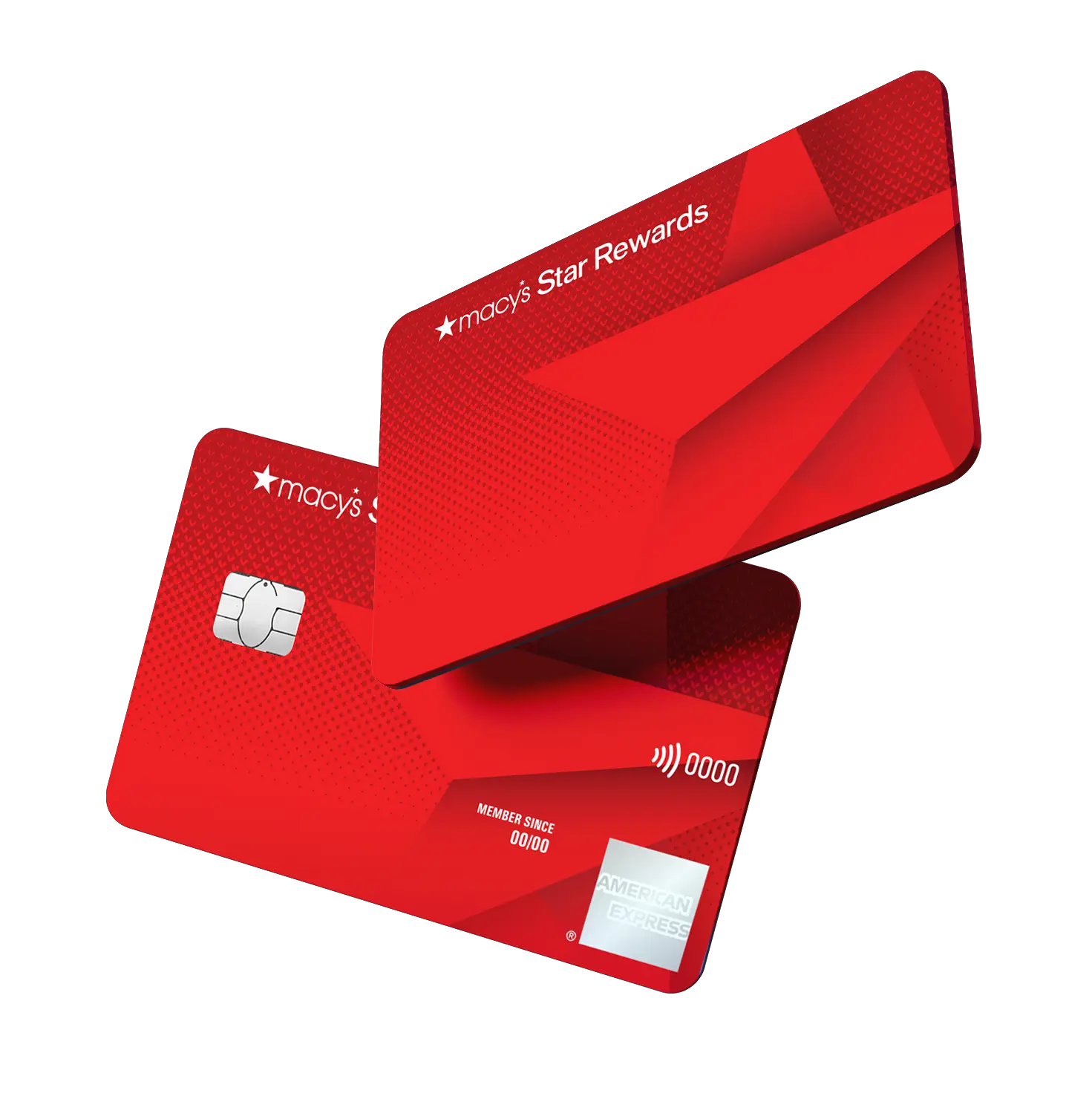
Step 3: Enter Your 16-Digit Card Number
This number runs horizontally across the front of your card. Type all 16 digits carefully, one after the other.
Step 4: Enter Your PIN
The PIN is the 4 digits on the back of your card, usually near the signature line. Type these 4 digits into the second box.
Step 5: Your Balance Appears Instantly
Hit the "Check Balance" button. Within seconds, the website shows you exactly how much money is on your card. Write this number down so you don't forget it.
A Note for Nigeria Users:
Some people in Nigeria report that the Macy's website blocks their access. If this happens to you, try using a VPN. This lets you access the balance checker even if it's normally blocked. Many free VPNs work well. Download one, connect it, then reload the Macy's website.
The online method works great if you can access the website. But not everyone has that option. If the website doesn't work for you, calling Macy's customer service is your next best bet.
Method 2: Check Macy's Gift Card Balance Via Phone
If you can't use the website, you can call Macy's directly. A real person will check your balance for you over the phone. This method takes a bit longer, but it always works.
Call Macy's Customer Service
Dial this number: 1-800-289-6229
Have your gift card ready before you call. You'll need to give the agent your 16-digit card number and your 4-digit PIN. Tell them you want to check your balance. They'll read your balance to you over the phone. Write it down immediately so you don't forget.
What You Should Know About Calling
Calls to Macy's are free if you're calling from the US. But from Nigeria, this is an international call, and it costs money. Check your provider's rates before you call. You might pay ₦200–₦500 for the call depending on your network.
Wait times vary. During busy hours, you might wait 5–15 minutes to speak to someone. Macy's customer service is available 7 days a week, so you can call anytime. Calling works, but if you prefer not to pay for an international call, the mobile app is another option. Let's look at that next.
Method 3: Check Macy's Gift Card Balance on the Mobile App
If you have a smartphone, Macy's app is the quickest way to check Macy's gift card balance. You can do it anytime, without calling anyone or waiting on hold.
How to Download and Use the App:
• First, download Macy's app. You'll find it in the Apple App Store if you have an iPhone, or in Google Play if you have an Android phone. The app is free.
• Open the app and sign in. If you don't have an account yet, create one. It takes 2 minutes.
• Log in with your email and a password.
• Once you're logged in, tap "Gift Card Balance" in the menu. Enter your 16-digit card number and 4-digit PIN.
• Your balance appears instantly on the screen.
The Macy's app is completely free to download. You can check your balance anytime you want. No phone calls. No waiting. No international charges. The app also shows your balance every time you log in, so you always know where you stand.
Common Issues When Checking Your Macy's Gift Card Balance in Nigeria
You tried one of these methods to check Macy's gift card balance, and something went wrong. Don't worry. Most problems have a simple fix. Here are the issues you might face and what to do about them.
1. Card Not Recognized
This message means the system couldn't find your card. You probably entered the wrong 16-digit number. Macy's numbers are easy to misread because they're small on the card. Look at the card again very carefully. Check each digit one by one. You might have accidentally typed a zero instead of an O, or an l instead of a 1. Try again with extra care.
Another possibility, you may enter a number from a different gift card by mistake. Make sure you're looking at the right card.
2. Invalid PIN
This one trips up a lot of people. The PIN is the 4 digits on the back of the card, NOT the expiration date. The expiration date is different and won't work. Look at the back of your card and find the 4 digits. Type them slowly, one digit at a time. If you still get this error, call Macy's. They can reset your PIN.
3. Access Blocked from Your Location
Macy's blocks access from countries outside the US, and Nigeria is one of them. This is frustrating, but it's easy to fix. Use a VPN app to look like you're in the US, so the website lets you through. Once you connect the VPN, reload Macy's website and try again. It should work.
4. Card Expired
If you see this message, don't panic. Macy's gift cards don't actually expire. The money on your card never disappears just because time passed. This message usually means there's an error in Macy's system. Contact Macy's customer service at 1-800-289-6229. They can investigate and fix it for you.
Now you know how to check your balance and fix common problems. But before you go, there's one more thing you should know about Macy's gift cards.
Can You Use a Macy's Gift Card in Nigeria?
Here's the straight answer: no, you cannot use your Macy's gift card in Nigeria. Not in stores. Not online. Not anywhere in the country.
Why Not?
Macy's is a US retailer. Their stores are in the United States. Their website is set up for US customers. They don't ship to Nigeria or accept gift cards from customers in Nigeria. The payment system, the shipping system, and the entire Macy's operation is built around the US market.
What This Means for You
If you're in Nigeria with a Macy's gift card, you have two realistic options:
Option 1: Have Someone in the US Use It
If you have a family member or friend in the United States, you can give them the card number and PIN. They can use it to shop on macys.com and have items shipped to a US address. Then, they can mail the items to you in Nigeria. This works, but it's slow and expensive. Shipping from the US to Nigeria can take weeks and cost a lot of money.
Option 2: Sell It and Get Naira Instead
This is the smarter choice for most people. You don't have to wait for shipping. You don't have to depend on someone else. You get cash in naira right now. You can use that money to buy anything you want in Nigeria.
This is where Cardsoon comes in. It's the faster, easier solution.
How to Sell Macy's Gift Card on Cardsoon?
You checked your balance and decided you don't want to shop at Macy's. That's totally normal. Not everyone shops at Macy's, and gift cards can sit unused for years. Selling your gift card on Cardsoon is the fastest way to turn it into naira that you can use right now.
With Cardsoon, you can sell gift cards in Nigeria quick, transparent, and you get paid instantly. No waiting. No complications.
Here’s how the process works:
1. Visit the Cardsoon platform and create an account
Sign up using your email and basic details to get started.
2. Select “Macy's” from the list of supported gift cards
Once logged in, choose Foot Locker as the card type you want to sell.
3. Enter your card details and balance
Input the required information, including the card value and any necessary verification details.
4. Review the Naira equivalent
Cardsoon will display the current rate and how much you’ll receive in Naira based on your card’s value.
5. Confirm the trade
Once you’re satisfied with the rate, proceed to complete the transaction.
6. Receive your payment
After verification, your payment is processed and sent directly to your bank account.
The entire process is designed to be quick and user-friendly, even if it’s your first time trading a gift card. Instead of holding onto a card you can’t use in Nigeria, this gives you a practical way to turn it into real money you can spend immediately.
That's it. You've checked your balance, understood your options, and now you know how to sell it if you want to. Let's answer a few more questions you might have.
FAQs
1. Does checking my gift card balance on Cardsoon use any money?
No. Checking your balance doesn't deduct any money from your card. It costs nothing and doesn't affect your balance in any way.
2. What would happen if I lost my Macy's gift card?
Contact Macy's immediately at 1-800-289-6229. Tell them your card is lost. Macy's can freeze your account to prevent someone else from using it.
3. Is it safe to check my gift card balance on public WiFi?
It's safer to use your home WiFi or mobile data. To be extra safe, use a VPN on public WiFi. A VPN encrypts your information so no one can see what you're doing.
4. What may be the reasons why my card shows a $0 balance?
Your card has been fully used up, or there might be a system error. If you didn't spend the money yourself, contact Macy's to investigate.
5. Does Cardsoon give you the best rate for Macy's gift card?
Cardsoon offers competitive rates and instant payouts for almost all popular gift cards in Nigeria. Most users prefer Cardsoon because the process is quick, transparent, and the rates are fair compared to other platforms.
Final Thoughts
You now know exactly how to check your Macy's gift card balance. Whether you use the website, the app, or call Macy's, the process is simple and takes just a few minutes. And if you decide you'd rather have naira than Macy's credit, Cardsoon makes that easy too. You're in control. Choose whichever method works best for you, check your balance whenever you need to, and sell whenever you're ready.