Apple gift card error messages can be really frustrating, especially when you are ready to download or buy something. To make sure that you won't get these Apple card error messages again & again, you need to fix it. These errors happen for a number of reasons and can be fixed easily. But without proper guidance, it wouldn't be possible. In this blog, we are going to highlight common Apple card errors with easy fixes! Let's start!
Most Common Apple Gift Card Errors
In this section, we are going to highlight some of the common Apple card errors that you might face. Some common error messages are "card is not valid", "card has already redeemed", or "card has not been activated". Let's discuss them in detail
1. Invalid Apple Gift Card Error
An invalid Apple gift card error usually happens due to a typo, wrong card type (like you are using the Apple Store card in the App store), or maybe your card is already redeemed.
What to Do?
Double Check the Code
Make sure that you enter the gift card code carefully. There are many characters that look alike and can cause confusion (like 0/O, B/8, etc). It is better that you enter the code manually.
Check Apple's Card Activation Status
Digital cards are usually activated automatically when purchased. However, physical cards require activation at the retailer's checkout. If you forget to activate the card, it will show as invalid.
Contact Apple Support Team
If your Apple card error still persists, you can also contact Apple support by using the link below;
https://support.apple.com
2. Apple Gift Card Not Activated
Apple gift card activation is important, especially if you are using a physical gift card. You might face this error if you have bought that card from unverified sources and may get the following messages with this error.
Your card is not activated", "Invalid Apple gift card error", or "Unable to Redeem Code"
What To Do Now?
Don't get stuck if you have received these messages. We have a solution for you;
- Go to the retailer and verify the Apple gift card status. The retailer might ask for the payment proof or any confirmation message for the gift card purchase
2. Wait for a few minutes, if you have tried redeeming the gift card multiple times.
Note: Whether you are contacting the retailer or Apple support team, always keep your payment evidence, otherwise your issue will remain unresolved.
3. Apple Card Region Restriction Issue
Using Apple gift cards is simple, but don't forget the regional rules. If you are sitting in the UK and thinking of redeeming gift card you bought in the USA, it is not possible. Some people also think that if they change their location before travelling, they would be able to redeem the card. This is also not the solution. Keep this statement in mind
"Apple Gift Cards are tried in the region where they are bought and must be redeemed in that specific region"
What To Do?
- The only practical solution is to contact the retailer and ask for the gift card exchange.
- Another solution is that if you have not redeemed your card yet, you can share the code with someone else in the USA. This solution will be applicable to the digital Apple gift card only.
- To avoid this error, make sure that you always redeem your card right away after buying it in the same location.
- If you are in Nigeria and cannot redeem your gift card from another location due to region restriction error, there is another good option that you can avail. You can convert your Apple gift card to cash immediately on Cardsoon.
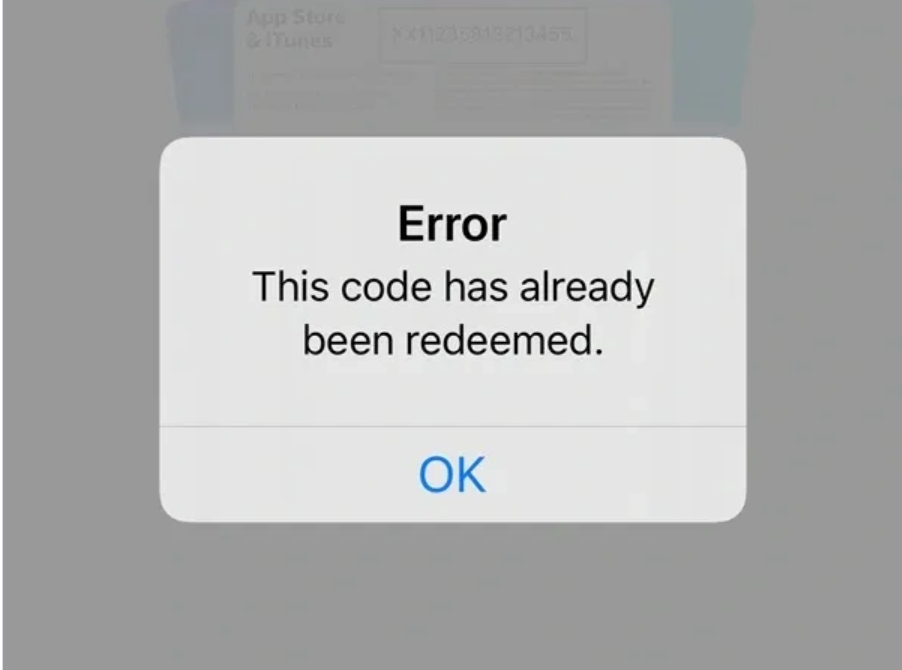
4. Apple Gift Card Already Redeemed
Ready to redeem your card but get a message "Your card is already redeemed"! This message can kill your excitement. But don't worry! We have a solution for you. This error can happen for a number of reasons.
- Your gift card might have been activated by someone else.
- Another reason is that you might have redeemed it and forgotten it.
- The third reason would be that you bought that card from an unauthorized seller and this is a second-hand gift card.
- The first solution is to contact your retailer immediately with evidence proof and ask for the exchange of the gift card. Another solution is to contact the Apple support team with a proper payment screenshot.
Things To Watch Out for During Apple Gift Card Redemption
While redeeming your Apple gift card , you might face issues other than Apple card errors. Look at these issues and mistakes to avoid while redeeming your gift card;
1. Your Apple gift card may not work if you are using the scratched off card. It might happen if part of the 16-digital code is missing or torn. Make sure that you check the condition of the gift card before buying it.
2. Sometimes, if your Apple ID is blocked or suspended for any reason, it can also cause issues while redeeming an Apple gift card.
3. Never share your code with anyone posing as an "Apple support agent" or any stranger. Legitimate Apple representatives will never ask for your gift card code.
4. Make sure that while redeeming your gift card you are not using the VPN as it may trigger security issues on your account
5. If you buy a new Apple gift card in 2026 but try to redeem it on outdated software, it can also cause redemption issues. Make sure to update your device software before redeeming.
6. Avoid redeeming the gift card on weak Wi-Fi. Make sure that that you have an active internet connection.
Common Misconception About Apple Gift Card Errors
Changing Apple ID Can Fix Region Restriction Errors
Many users believe that changing their Apple ID country or region will fix any gift card error. This is not true. Apple Gift Cards are region-locked, meaning they can only be redeemed in the country where they were purchased. Even if you change your Apple ID to another region, the card will still not work. Trying this repeatedly can even cause temporary account issues. Always redeem the card in its original region.
Digital Gift Cards Can Never Have Errors
It is a common myth that digital gift cards are error free. But this is not true. There are also errors linked with digital gift cards like invalid Apple gift card, card already redeemed etc.
All Apple Card Errors Are Permanent
Many users think that Apple gift card errors are permanent and cannot be resolved. Many errors are temporary and can be solved by following simple steps. Most users also panic and take wrong steps. This approach can even block their Apple account. On the other hand, some fixes also require payment proof and if you don't have that, then the issue might get unresolved.
Multiple Cards Can Be Redeemed At Once
Some users try to redeem multiple gift cards simultaneously to add large balances. This can sometimes cause temporary errors if the system cannot process multiple redemptions at once. It’s better to redeem one card at a time to avoid errors.
Conclusion
Apple Gift Card errors are common, but most can be resolved quickly with the right approach. From invalid codes to regional restrictions and activation issues, knowing the causes and solutions will help you use your card without setbacks. This blog has listed all common Apple card errors with easy fixes. By staying informed and careful, you can enjoy the full value of your Apple Gift Cards without any problems.
FAQ's
1. What are some common Apple gift card errors?
Common Apple gift card errors are invalid Apple card error, card already redeemed, gift card not activated & Apple card region restriction error
2. Where to complain about Apple gift card errors?
You can contact the Apple support team anytime 24/7. Here is the link
https://support.apple.com
3. How to fix an invalid Apple gift card?
- Double-check your code and avoid any typos
- Make sure to check the activation status of gift card with the retailer when you are buying it.
4. Can I convert my gift card into cash?
If you are not planning to purchase anything, you can redeem your Apple card for cash anytime on Cardsoon. Cardsoon is a gift card trading platform that lets you trade gift cards for cash. You can even increase your cash using reward features on the app.