Want to check Apple gift card balance? It can be checked easily through multiple methods. Because knowing how much balance is available is an important first step before making any purchase. Many users are not aware that Apple offers multiple methods depending on whether the card is redeemed or not. Getting an idea how these methods work will prevent you from unnecessary delays while making any purchase.
In this guide, we will walk you through all possible methods for the Apple gift card balance check. Let us start!
🔎 Why People Check Apple Gift Cards Without Redeeming it
There are a number of reasons why many users want to check Apple card balance without redeeming a gift card
Verifying The Balance Before Gifting
If you have bought an Apple gift card but don't want it for yourself and want to gift it to someone, then verifying the balance is an essential step. It prevents you from the embarrassment of giving an empty or used card to someone.
Protection from Scams & Fraud
Gift cards are hard to track and often used by scammers. By checking your card balance before redeeming, you can make sure that your balance is safe.
Proof For Resale
If you are planning to sell the gift card, then checking the balance lets you show the buyer that the money is still there without adding it to your own Apple ID.
Making Sure the Card is Activated
Checking Apple gift card balance right after buying the card confirms that it is working. If you redeem your gift card and then find a $0 balance, it will be difficult to exchange the card. Confirm the balance before redeeming and if you find any issue with balance, contact the retailer as soon as possible.
🔎 Two Different Methods to Check the Apple Gift Card Balance Without Redeeming It
Via Apple's Official Website
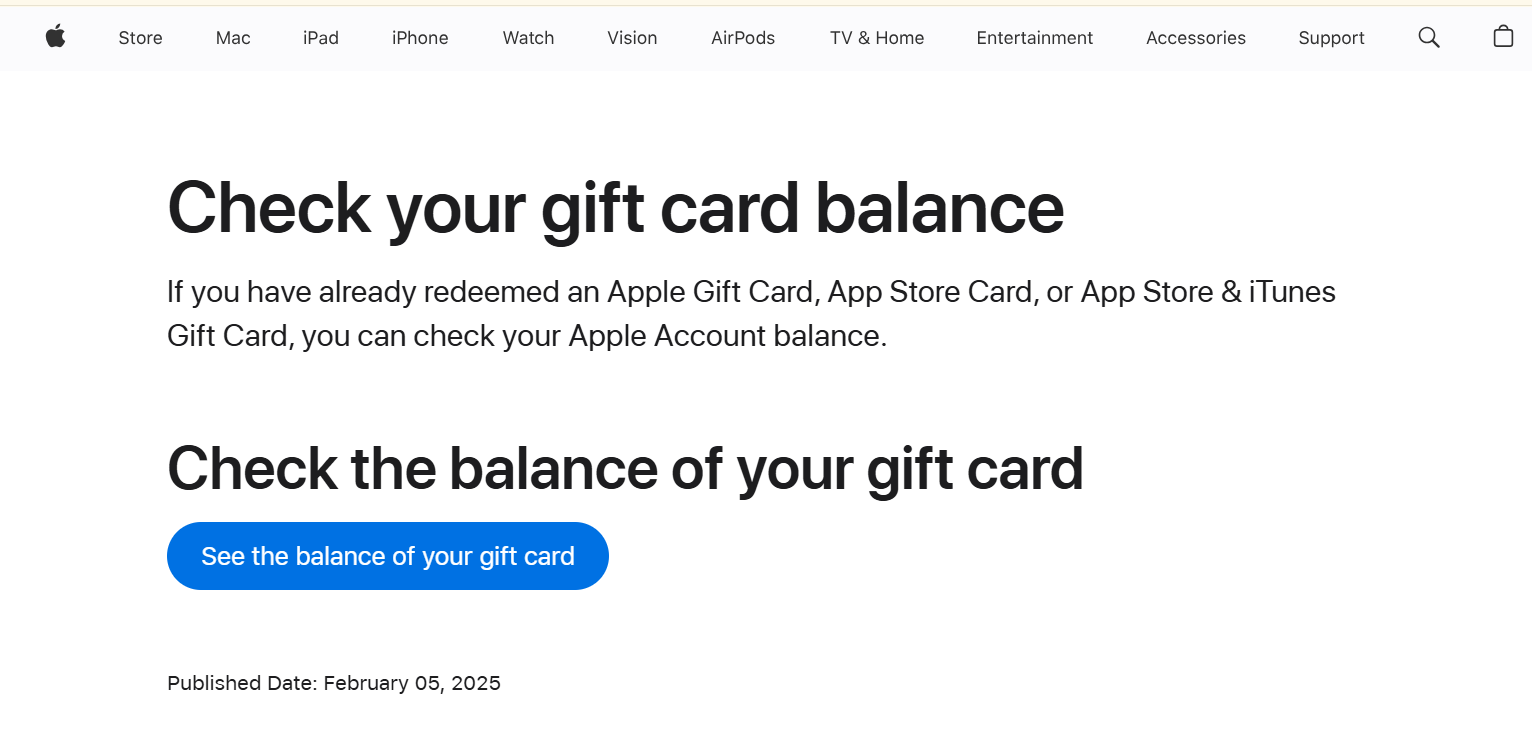
- The simple way to check the Apple gift card balance is using Apple's gift card balance checker page. Here is the link;
https://support.apple.com/en-ae/108111.
Here are the detailed steps;
Step 1
Go to the link that we have attached above and click on "See the balance of your gift card". Make sure that you have signed in to your Apple account.
Step 2
Enter your gift card code correctly. You will find the PIN at the back side of your card. Scratch the card gently and write the code. If you are using a digital gift card, then you will find the PIN in your email
Step 3
Click on "Check Balance" and your balance will be shown right away on the screen.
Check Apple Card Balance by Calling
Step 1
Dial 1-800-MY-APPLE (1-800-692-7753).
Step 2
Follow the prompts and ask to check the gift card balance. Provide your gift card PIN and you will get to know your balance soon.
🔎 Common Mistakes To Avoid While Checking Apple Card Balance Before Redeeming it
Entering Incorrect Codes
Checking Apple card balance via Apple's official website is an easy process, but if you have entered the wrong code, this can result in an "Invalid code" error (internal link for error blog). Make sure that you enter the code correctly and don't confuse the characters like "B & 8" or "Z & 2".
Don't Buy Gift Cards from Unauthorized Retailer
If you have bought the gift card from the unauthorized retailer, the chances of scams get higher and you may see a $0 balance. Make sure that you always buy Apple gift cards from verified and authorized resellers.
Using Third-Party Websites To Check the Balance
Always use Apple's official website to check your gift card balance. Other sites may steal your gift card code.
Not Checking the Card's Condition
Make sure to check the condition of your physical card right after buying it. If the card is already scratched, then the chances are higher that it is a used card.
📱 Steps To Check the Apple Gift Card Balance After Redemption
After redeeming your gift card, your balance is now tied to your Apple ID. You can easily check your balance history and remaining balance on any Apple device your account is logged in.
Checking on the Iphone
For Apple gift card balance check on the Iphone, go to the settings. Click on the option "View Account". Your Apple card balance will be shown on the screen
Checking on Mac
Go to the settings and open your profile section. Under your name in the profile section, your Apple ID balance will be displayed.
Check in the Wallet App
Open the Wallet App option on your iPhone. Make sure that your Apple ID is linked with the wallet app. Tap on Wallet app and your balance will be shown right there.
📱 Mistakes To Avoid While Checking Apple Card Balance After Redeeming
Checking Balance with the Wrong Apple ID
If you have multiple Apple ID's, make sure that you are signed in with the same Apple ID that was used to redeem gift card. Checking from a different account will show an incorrect or different balance amount
Assuming Balance Appears Instantly
Some users expect the balance to show immediately after redeeming a gift card. While it usually updates quickly, there can be short delays due to syncing or network issues. If you don’t see the balance right away, avoid redeeming the code again or panicking. Instead, wait a few minutes, refresh the account page, or sign in again to your Apple ID to allow the balance to update properly.
Confusing Subscription Charges with Missing Balance
If you have active subscriptions such as Apple Music, iCloud storage, or app subscriptions, your Apple ID balance may be automatically used for payments. This often leads users to think their balance has disappeared when it has already been deducted. Reviewing your subscription and billing history can help you understand where the balance was applied and prevent unnecessary concern.
Not Updating Your Device or Apple ID Settings
Outdated software can sometimes cause balance information to display incorrectly or not at all. If your iPhone, iPad, or Mac is running an older version, your Apple ID balance may not sync properly. Keeping your device and Apple ID settings updated ensures that your redeemed balance shows accurately across all Apple services.
Checking the Balance in the Wallet App Without Setup
Some users assume the Wallet app will automatically show their Apple Gift Card balance after redemption. However, this only works if the Apple ID is properly linked with the Wallet app. If the connection is not set up, the balance will not appear there even though it exists in your Apple ID. Always verify that your Apple ID is connected before relying on the Wallet app.
Not Checking the Purchase History
When the remaining balance looks lower than expected, many users forget to check their purchase history. Reviewing the purchase history helps you track exactly how your Apple ID balance was spent and prevents misunderstandings.
📞 How to Contact Apple Support For Balance Issues
Even after redeeming an Apple Gift Card, you might face situations where your balance isn’t showing correctly or seems incorrect. Here’s how you can reach Apple Support to resolve these issues:
Use the Apple Support Website
1. Visit Apple Support and select Apple ID or Billing & Subscriptions.
2. Go to the section for Gift Cards & Codes.
3. You can start a chat, schedule a call, or request email support directly from the website.
Contact Apple Support via Phone
1. Apple provides region-specific support numbers.
2. Call the official number for your country and explain that your Apple Gift Card balance is not showing correctly.
3. Have your Apple ID and gift card code ready for verification.
Use the Apple Support App
1. Download the Apple Support app from the App Store.
2. Sign in with your Apple ID, then select Billing & Subscriptions → Gift Card & Balance Issues.
3. You can start a chat or schedule a call directly from the app, making it convenient for iPhone and iPad users.
Conclusion
You can easily check your Apple Gift Card balance both before and after redeeming it. Checking before redeeming helps avoid scams, errors, or giving a used card as a gift. After redemption, your balance is linked to your Apple ID, so always check balance on the right account. Keep your device updated and review your purchase history to see how your balance is used. If you face any issues, Apple Support can assist you quickly. Following these steps ensures a safe and smooth experience with your Apple Gift Card.
FAQ's
- How can I check my Apple gift card balance after redeeming the gift card?
You can check your balance after redeeming using your Apple ID on different devices like iPhone, iPad, Mac or Wallet app. The steps to check Apple card balance on all devices are almost the same. You can find the balance by tapping on your profile section.
2. What is the safest way to check Apple gift card balance before redeeming
The safest way to check Apple gift card balance before redeeming is visiting Apple's official balance checker page.
3. Can I turn my Apple gift card balance into cash?
Yes, you can turn your Apple gift card balance into cash using a verified, secure and trustworthy gift card trading app like Cardsoon.