Do you know that you can share airtime on Airtel?
There are moments when someone close to you runs out of airtime at the worst possible time. Maybe they need to make an urgent call, confirm an order, or reach someone quickly. In such situations, asking them to recharge may not always be practical, especially when time matters.
This is where Airtel’s airtime sharing feature becomes useful. Instead of waiting, you can instantly send airtime directly from your line to theirs and help them stay connected without interruption.
If you’re wondering how to share airtime on Airtel, the service you need is called Me2U. It allows Airtel users in Nigeria to transfer airtime from one number to another using simple USSD codes. Before getting started, it’s important to understand how the system works and how to set it up correctly. Once that’s clear, the process becomes quick and straightforward.
Let’s break it down step by step.
What is Airtel Me2U Airtime Transfer?
Airtel Me2U is the official service that allows users to send airtime from one Airtel number to another. In simple terms, it is Airtel’s built-in airtime sharing feature designed for quick transfers between friends, family, or colleagues. It functions as a direct balance transfer system, enabling customers to move airtime instantly without needing external recharge methods or third-party platforms.
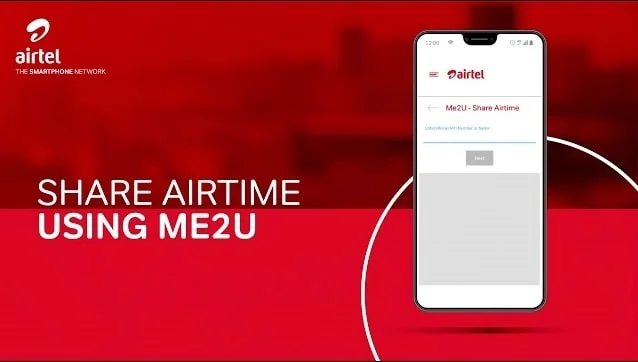
This service is especially useful when someone runs out of airtime and needs urgent credit without going through recharge cards or online payments.
The transfer works instantly and is deducted directly from your main balance. Because of that, Airtel adds a security layer using a PIN system, which we will discuss shortly.
Now that you understand what Me2U is, the next important step is knowing whether your number is ready to use this service and what requirements you must meet before making a transfer.
What do you need to Share Airtime on Airtel?
Before you can successfully transfer airtime on Airtel, there are a few basic conditions that must be met. These requirements are straightforward, but overlooking even one of them is a common reason users experience failed transactions or error messages during the process.
To ensure a smooth airtime transfer, make sure the following requirements are in place:
• You must be an active Airtel Nigeria user
The Me2U service is only available to Airtel subscribers. Both the sender and receiver must also be on Airtel for the transfer to work successfully.
• Sufficient airtime balance is required
You need to have enough credit in your main account to cover the amount you intend to send. If your balance is lower than the transfer amount, the request will not go through.
• Your SIM must be active and properly registered on the network
Inactive, blocked, or partially registered SIM cards may face restrictions when trying to use value-added services like airtime transfer.
• A valid Airtel transfer PIN is mandatory
Every airtime transfer requires a security PIN for authorization. Airtel usually provides a default PIN when the service is first activated, but it is highly recommended to change this to a personalized PIN for better security and to avoid unauthorized usage.
Once these conditions are satisfied, your number is fully set up to use the Me2U service without interruptions. With everything in place, you are now ready to proceed with the actual transfer process. In the next section, we’ll walk through the step-by-step method to share airtime on Airtel quickly and correctly.
How to Share Airtime on Airtel Using USSD (Me2U Method)?
Airtel makes it easy to transfer airtime using its Me2U service. You can complete the transfer using either a USSD code or SMS, depending on what’s more convenient for you. Before using any method, you must first secure your account by changing the default transfer PIN.
Step 1: Change Your Default Airtel Transfer PIN
For security reasons, Airtel requires users to replace the default PIN (1234) before making any airtime transfer.
To change your PIN:
• Send an SMS in this format: PIN 1234 NewPIN
• Send it to: 432
• Example:
PIN 1234 8888 → send to 432
Once updated, this new PIN will be required for all airtime transfers.
Method 1: Share Airtime Using USSD Code
This is the fastest and most commonly used method. It works on all phones and does not require an internet connection.
If you’re specifically looking for the code to share airtime on Airtel, this is the format you need to use.
Steps:
1. Open your phone dialer
2. Dial using this format:
• *432*RecipientNumber*Amount*PIN#
3. Press 'send'
4. Confirm the transaction when prompted
• Example:
*432*08023456799*100*8888#
Once successful, both you and the recipient will receive a confirmation message.
Method 2: Share Airtime via SMS
If you prefer, you can also transfer airtime using SMS.
Steps:
1. Open your messaging app
2. Type your message in this format:
• 2u RecipientNumber Amount PIN
3. Send it to: 432
• Example:
2u 08023456799 100 8888 → send to 432
After sending it, you and the recipient will receive an SMS confirming the transfer.
Alternative Option (Guided USSD Menu)
If you don’t want to remember the full code, you can use the guided menu:
• Dial *432#
• Follow the on-screen instructions
• This option is more beginner-friendly and guides you through each step.
Airtel Airtime Transfer Charges & Limits
While Airtel makes airtime sharing simple through the Me2U service, there are certain limits and conditions in place to ensure the system is used fairly and without abuse. Understanding these restrictions can help you avoid failed transactions and better manage your airtime transfers.
Here’s what you need to keep in mind:
• Airtime is deducted from your main balance
Every transfer is taken directly from your available airtime. There is no separate wallet or bonus balance used for Me2U transactions.
• You must maintain a sufficient balance after transfer
Airtel requires that your account does not drop below a usable minimum balance after sending airtime. If your remaining balance is too low, the transaction may be declined.
• Daily transfer limits may apply
Depending on your account activity, SIM age, or network policies, there may be a cap on how much airtime you can transfer within a day. This helps prevent misuse and excessive transfers.
• Minimum transfer amount restrictions
Airtel may set a minimum amount that can be sent in a single transaction. Trying to transfer below this threshold will result in an error.
In most cases, Airtel does not emphasize complex fees for airtime transfers, making Me2U a cost-effective option for sending credit. However, the real limitation lies in staying within the allowed balance and transfer thresholds set by the network.
By understanding these boundaries, you can avoid unnecessary interruptions and ensure every transfer goes through smoothly. Now that you’re familiar with both how the service works and its limitations, the next step is to look at common issues users encounter and how to fix them quickly.
Common Problems When Sharing Airtime on Airtel and their Solutions
Although Airtel’s Me2U airtime transfer service is designed to be quick and straightforward, users may occasionally encounter errors during the process. The good news is that most of these issues are minor and can be resolved within minutes if you understand the cause.
Below are the most common problems and how to fix them:
1. Incorrect PIN entered
This is one of the most frequent issues. If you input the wrong transfer PIN, the transaction will fail immediately.
Fix: Double-check your PIN and try again. If you’ve forgotten it, reset your PIN using the official USSD method before attempting another transfer.
2. Insufficient airtime balance
If your available balance is lower than the amount you want to send or below the required minimum after transfer, Airtel will block the transaction.
Fix: Recharge your line and ensure you have enough airtime to cover both the transfer amount and any minimum balance requirement.
3. Invalid recipient number
Airtime transfers only work between Airtel numbers. Entering a number from another network or an incorrect digit will result in an error.
Fix: Verify the recipient’s number carefully and confirm that it is an active Airtel line before proceeding.
4. Network delay or temporary failure
Sometimes, network congestion or signal issues can interrupt the process, causing delays or incomplete transactions.
Fix: Wait a few seconds and try again. If the issue persists, toggle your network (airplane mode on/off) or restart your device.
5. Service restriction on SIM
In some cases, new or inactive SIM cards may have limited access to value-added services like airtime transfer.
Fix: Ensure your SIM is fully registered and has been active for a while. If needed, contact Airtel support for activation.
Understanding these common issues and their solutions can save you time and prevent unnecessary frustration when transferring airtime. Most problems are easily avoidable once you know what to look out for.
Conclusion
Today, many users now deal with different types of digital assets, especially gift cards received from online purchases, rewards, or international transactions. Instead of letting these assets go unused, platforms like Cardsoon provide a practical way to convert them into real money.
Cardsoon, the best gift card trading platform in Nigeria, helps users sell various gift cards securely and get paid in cash. This makes it useful for people who want more control over their digital value, especially when they prefer liquidity instead of holding unused cards. It is commonly used by individuals who want a fast and simple way to sell gift cards in Nigeria without complicated processes.
While Airtel focuses on making airtime sharing quick and accessible through its Me2U service, Cardsoon focuses on another side of digital convenience, by helping users turn gift cards into usable funds.
FAQs
1. How do I share airtime on Airtel?
You can share airtime on Airtel Nigeria using the Me2U service. Simply dial *432*RecipientNumber*Amount*PIN# and follow the prompts. The airtime will be deducted from your main balance instantly. You will also receive a confirmation message after a successful transfer.
2. What is the default Airtel transfer PIN?
The default Airtel transfer PIN is usually 1234. However, users are strongly advised to change it before making any transfers. Keeping the default PIN increases the risk of unauthorized use. You can change it using a simple USSD code.
3. How do I change my Airtel airtime transfer PIN?
You can change your PIN by dialing 4321234*NewPIN*NewPIN#. This replaces your default PIN with a secure personal one. Once changed, you must use the new PIN for all transfers. The change takes effect immediately.
4. Can I share airtime without internet on Airtel?
Yes, you do not need internet access to share airtime. The service works through USSD codes, which function on all mobile phones. This makes it accessible even on basic devices. You only need network coverage.
5. Can I share airtime with other networks?
No, Airtel Me2U only works between Airtel Nigeria users. You cannot transfer airtime to MTN, Glo, or 9mobile numbers. The service is restricted within the Airtel network. This ensures secure and controlled transfers.