MTN's data sharing feature lets you transfer data directly from your balance or buy a bundle for someone else. For this, you won't need any cash or a recharge card. Whether you're helping out a family member or topping up a friend's line, knowing how to share data on MTN in Nigeria saves time and keeps everyone connected. This blog covers every method available and everything you need to know before you start.
Different Methods to Share Data on MTN in Nigeria
Once your line meets the requirements, sharing data on MTN is straightforward. MTN officially supports three methods. They are USSD, SMS, and the MyMTN app. All three do the same job, but each suits a different situation. Pick the one that works best for you.
1. Code to Share Data on MTN : USSD Method
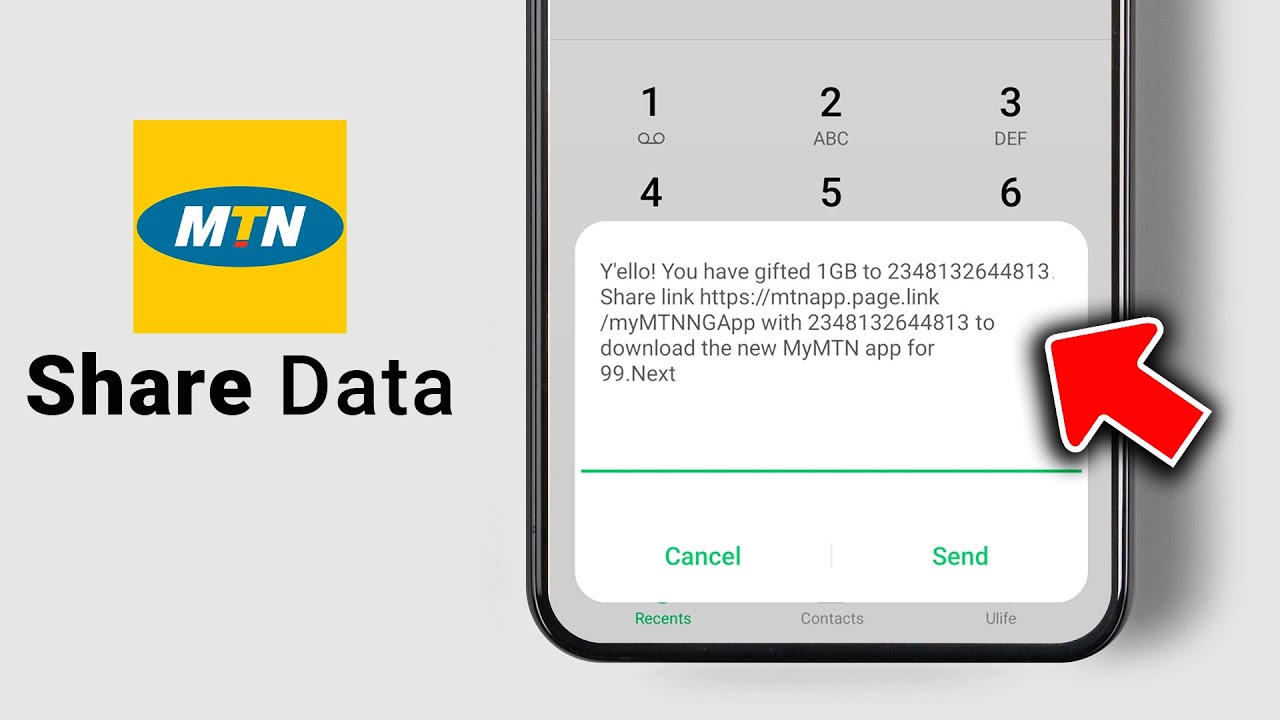
The USSD method is the fastest way to share data on MTN and works on any phone without the internet. There are two USSD entry points: *321*2# and *312*8#. Both take you to the same Data Gifting menu.
• Method 1: Transfer data from your balance using direct code
For MB amounts, you can dial the direct code:
*312*PhoneNumber*DataAmount# and press OK/Send.
For example, to transfer 100MB to 08031234567, dial: *312*08031234567*100#
Important: Do not include MB or GB when entering the data amount. Enter only the numeric value. So for 100MB, type 100. For 500MB, type 500.
For GB amounts (1GB, 2GB, 3GB, 5GB), use the menu-guided method below to avoid errors. MTN's system handles the selection for you.
• Method 2: Using the menu (recommended for GB transfers)
1. Dial *321*2# or *312*8# and press OK/Send.
2. Select Transfer Data from the menu.
3. Enter the recipient's MTN number.
4. Select the data amount from the options provided (100MB, 200MB, 500MB, 1GB, 2GB, 3GB, or 5GB).
5. Confirm the transfer.
This method is the safest for GB transfers, since you're picking directly from MTN's own options, and have no guesswork on what numeric value to enter.
• Method 3: Buy a data bundle for a friend
If you want to purchase a fresh bundle for someone rather than transfer from your own balance, dial: *312*BundleActivationCode*BeneficiaryPhoneNumber#
The bundle activation code is the code specific to the data plan you want to buy. You can browse MTN's available data plans and their codes by dialling *131#.
All three approaches serve different purposes, which are transfer or sharing what you have, or buy for gifting something new. If you prefer texting over dialling, the SMS method works just as well.
2. How to Share Data on MTN Through SMS?
The SMS method is one of the most straightforward ways to share data on MTN and directly mirrors the USSD transfer option. It's especially useful when USSD is slow or when you find typing a message more convenient.
Here's how to share data on MTN through SMS:
1. Open your phone's messaging app.
2. Type: Transfer [Recipient's MTN Number] [Data Amount] Example: Transfer 08031234567 100
3. Send the message to 312.
4. You'll receive a confirmation, SMS — reply YES to complete the transfer.
Just like the USSD method, do not include MB or GB in your message. Enter only the numeric value. So for 500MB, type 500, not 500MB.
This method only works for transferring data from your existing balance. It cannot be used to buy a new bundle for someone. For that, you'll need the USSD or the MyMTN app. Speaking of which, let's look at the app option.
3. How to Share Data from MTN to MTN Using the MyMTN App?
For smartphone users, the MyMTN app gives you a more visual experience for data sharing and adds a few extra features you won't find on USSD alone.
Here's how to share data on MTN using the app:
1. Download the MyMTN app from the Google Play Store or Apple App Store.
2. Open the app and log in with your MTN number.
3. Tap the Share button on the homepage.
4. Select Data Share.
5. Choose whether you want to Transfer from Balance or Buy for a Friend.
6. Enter the recipient's MTN number and select the data amount.
7. Tap Proceed to complete the transfer.
The MyMTN app also lets you set up automated transfers, which is a feature not available through USSD or SMS. You can add up to 5 beneficiaries and schedule automatic data transfers on a weekly or monthly basis. To set this up, dial *312*8# and select the Automate Transfer option, or do it directly through the app.
You can also view and manage pending data requests, check your beneficiary list, and remove beneficiaries all from within the app.
What's the Difference Between MTN Data Gifting vs MTN Data Share in Nigeria?
Before jumping into the steps to share data on MTN in Nigeria, it's important to understand something that most people get confused about. MTN actually offers two distinct ways to share data, and they work differently.
1. MTN Data Gifting (Transfer from Balance) is when you send data directly from your own existing data balance to another MTN number. The data is deducted from what you already have on your line. This is what most people mean when they talk about how to share data on MTN in Nigeria.
2. Buy Data for a Friend is when you purchase a fresh data bundle for someone else, and the cost is deducted from your airtime balance, not from your data. The recipient gets a brand new bundle, not a slice of yours.
Apart from this, you can;
3. Request data from a Friend — You send a data request to someone, and they choose whether to send it.
Both features fall under what MTN calls the Data Gifting service, and they're accessed through the same USSD codes.
What You Need Before You Share Data on MTN in Nigeria?
Unlike sharing airtime on MTN, data gifting on MTN does not require a PIN. That makes the process much easier and faster for most users. However, there are still a few important conditions your line must meet before you can successfully transfer data to another MTN user.
• You must have an active data bundle. You can only transfer data from an existing and valid data balance on your line. If your data bundle has expired or you have completely exhausted your balance, the transfer option will not work until you subscribe to a new plan.
• You must have at least 100MB remaining after the transfer. MTN does not allow users to completely empty their data balance through gifting. After the transfer is completed, your line must still retain a minimum of 100MB. If the transaction reduces your balance below that limit, the request will fail automatically.
• Both lines must be on MTN. MTN data gifting only works between MTN users in Nigeria. You cannot transfer data from an MTN line to networks like Glo, Airtel, or 9mobile. Make sure the recipient's number is an active MTN line before starting the process.
• Some data bundles are not eligible for transfer. Not every MTN data plan supports the gifting feature. Certain customised, promotional, and tariff-specific bundles are restricted from transfer. For example, Xtrabyte balances, the 7GB 2-Day Plan, and some Value Data bundles are excluded from MTN's data sharing service.
• DND status matters for data requests. If you are requesting data from another MTN user, their DND (Do Not Disturb) settings can affect the process. Users with Full DND activated may not receive your data request notification, which means they won't be able to approve or respond to it.
Once these conditions are met, you can go ahead and start sharing data on MTN without any issues.
Limits and Charges to Share Data on MTN in Nigeria
Understanding MTN's data sharing limits before you make a transfer can save you time and help you avoid failed transactions. From transfer caps to supported amounts, here's what you should know before sharing data on MTN in Nigeria.
• Amount you can share:
MTN only allows transfers in fixed increments — 100MB, 200MB, 500MB, 1GB, 2GB, 3GB, and 5GB. You cannot transfer an arbitrary amount outside these options. The maximum you can send in a single transfer is 5GB.
• Daily transfer limit:
The cumulative amount you can transfer from your balance in a single day is 5GB. You can split this across multiple transfers and multiple recipients, but once the total hits 5GB for the day, no further transfers will go through until the next day.
• Monthly transfer limit: You can transfer data from your balance a maximum of 10 times per month. Once you've made 10 transfers regardless of the amounts, you won't be able to transfer again until the following month. However, you can still buy data bundles for others at any time; this limit only applies to balance transfers.
• 20% data share cap:
If you're on certain larger data plans — such as the 75GB Monthly Plan, 90GB 2-Month Plan, or 165GB Monthly Plan — you can only transfer up to 20% of that bundle's total data across the month. This cap applies to new purchases of eligible plans made from November 5, 2024 onwards.
• Charges for sharing data:
There are no charges to share data on MTN No. The data gifting service is completely free when transferring from your balance. If you're buying a bundle for a friend, only the cost of that data plan is deducted from your airtime — no extra service fee is added.
Conclusion
Sharing data on MTN in Nigeria is a practical feature that comes in handy more often than most people expect. Whether you use the USSD code, the SMS method, or the MyMTN app, the process is quick and free, as long as your balance meets the requirements and the recipient is on MTN.
And if you're looking for a way to keep your data balance funded, here's one worth knowing. If you have unused gift cards, you can sell gift cards in Nigeria on Cardsoon and use cash to buy data, pay bills, and handle other expenses straight from the app.